How to pack a welcome kit with a laptop and branded accessories
As part of NoTime, VESCOM can pack hardware, accessories and branded welcome materials in one shipment. Agree the contents of each variant and what to do about shortages before the first batch. A missing notebook need not delay a laptop if the warehouse has clear instructions.
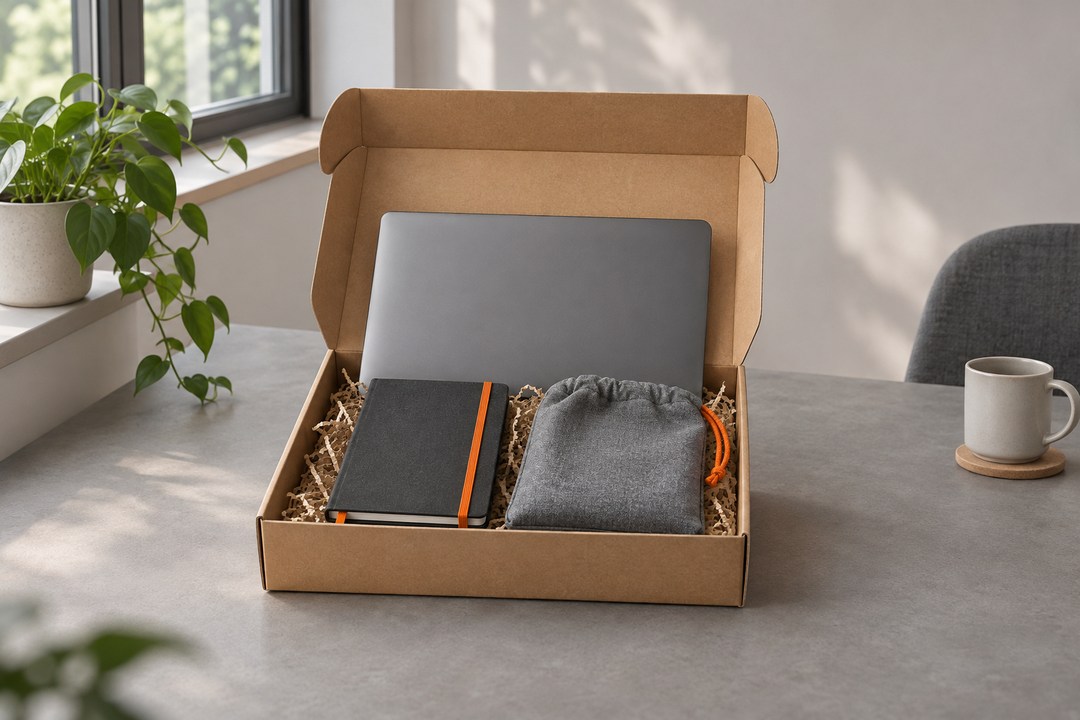
Turn the idea into a packing list
Record the variant code, product names, quantities and version of the welcome material. List promotional items separately from equipment. Replace an ambiguous item such as “optional monitor” with a distinct variant or an explicit rule.
Approve a sample
Open the kit as the recipient would. Check that a mug or bottle cannot damage the screen, the instructions are easy to find and the branding is correct. A photo of the approved sample makes it easier to compare the first and hundredth packages.
Agree what to do about shortages
If the start date is fixed, specify which items can follow later. Name the person authorised to approve substitutions and record the decision. Warehouse staff should know whether a missing notebook can hold up the laptop.
How do you check what was packed?
Link the issue request to the kit variant and device serial number at packing, then add the tracking number at dispatch. If a charger is reported missing, the warehouse can check the packing record. The tracking number identifies the shipment but does not describe its contents.
What belongs in the specification or handover record?
| Stage | Record |
|---|---|
| Contents | Variant code and approved sample version. |
| Inspection | Device identifier and confirmation that the kit is complete. |
| Exception | Missing item, decision and follow-up delivery date. |
Example: two teams
A developer receives a laptop, dock, headset and notebook. A field worker receives a phone, case, charger and the same notebook. Use a separate list for each variant. Scan the main device’s serial number and count the accessories.
Checklist
- Kit variants and branded materials have been agreed.
- The buyer has reviewed a sample.
- The team knows which items may follow separately.
Sources and documentation
Related solution
Review the scope and prepare your questions for an initial discussion.
Explore NoTimeBefore you start a project
How to issue laptops from stock
Trace a laptop from release authorisation to employee receipt.
How many spare laptops do you need? A reorder model for IT and procurement
Calculate the reorder point and decide whether an incoming delivery will cover demand.
How to connect HR to laptop fulfilment without shipping a second device
Design retries, amendments and status reconciliation between HR and fulfilment.
Let’s talk about your IT.

IT systems integrator based in Łódź, Poland. Hardware, infrastructure and custom software for businesses.